


- Web templates
- E-commerce Templates
- CMS & Blog Templates
- Facebook Templates
- Website Builders
FAQs
General Tutorials
MonsterONE Subscrioption









Because passwords are stored using a one-way “salted” MD5 hash which prevents recovering the password, you cannot recover an existing password, but you can reset it to a new password by editing the password field in the database.
1. Open your hosting control panel
2. Access the database management tool (usually phpMyAdmin)
3. Open your Joomla database and select the jos_users table
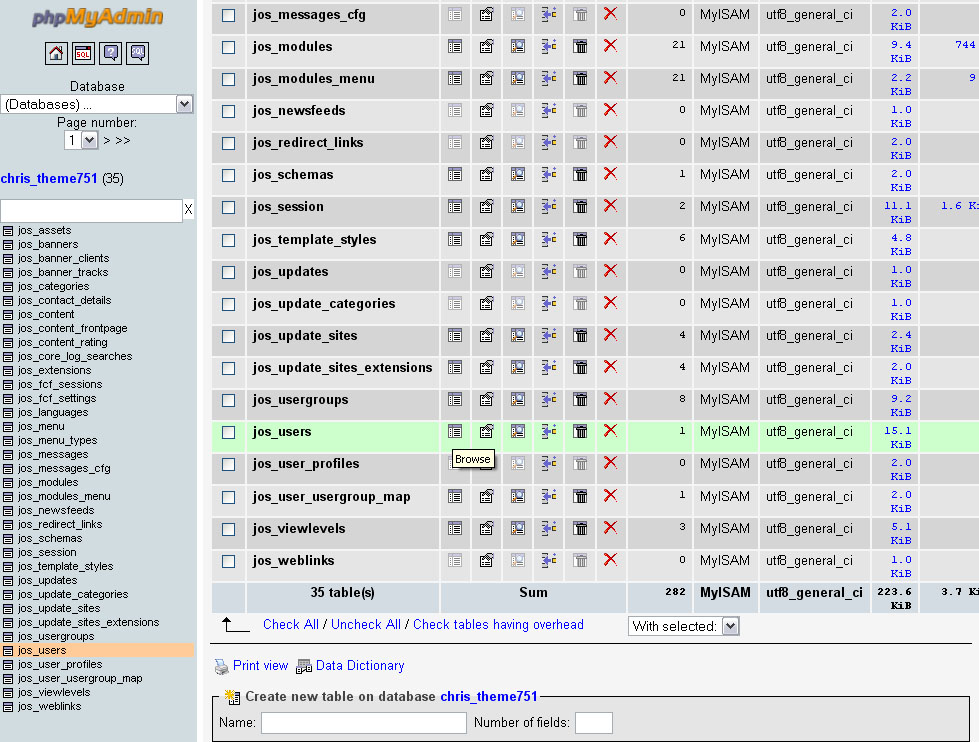
Note: if you used another database prefix your “_users” table may look different (your-prefix_users)
4. Select the User you want to reset the password for and click Edit (pen icon in phpMyAdmin)
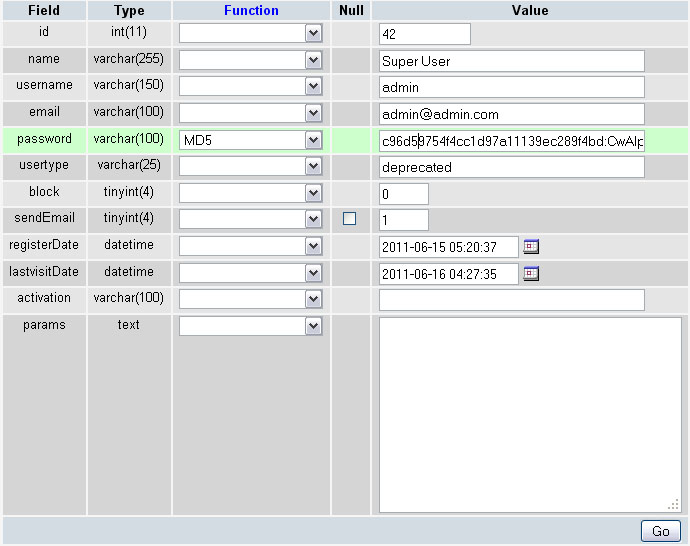
5. Type new password in the Password field and in the functions field select MD5
Feel free to check the detailed video tutorial below:
