


- Web templates
- E-commerce Templates
- CMS & Blog Templates
- Facebook Templates
- Website Builders
FAQs
General Tutorials
Featured templates
MonsterONE Subscrioption









This tutorial shows how to manage images dimensions and types in K2.
Joomla 2.5.x. How to manage images dimensions and types in K2
1. Open K2 component in the admin section. Open Parameters.
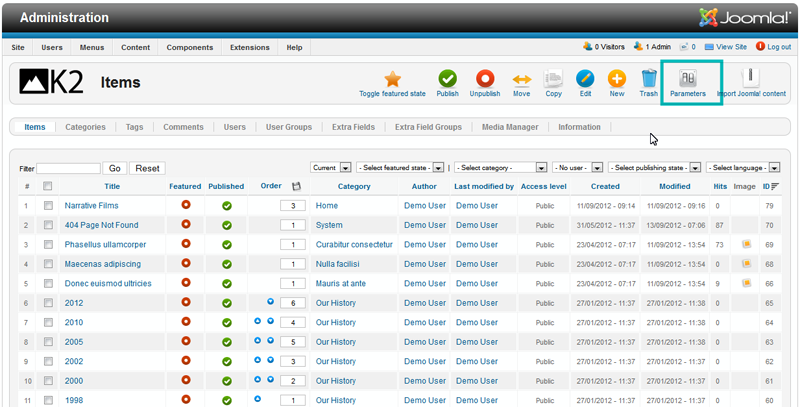
2. In image tab you can change images width, define quality of images and set other parameters. In this section you can set default image width for particular image size.
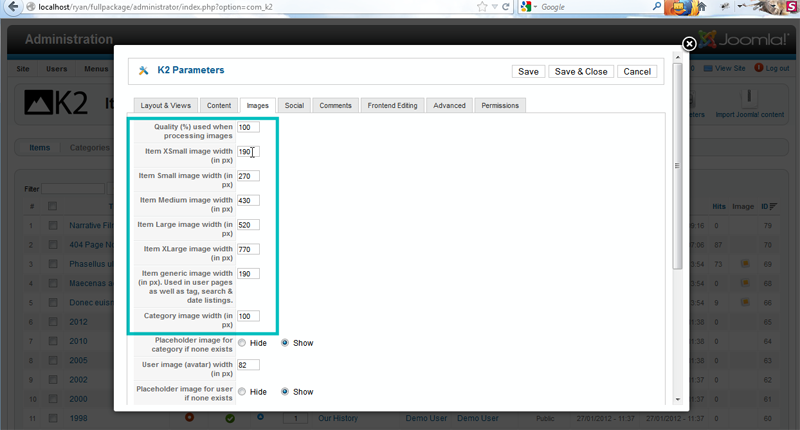
3. You can also define image size for specific category in category options. In this case posts from different categories will have different dimensions.
4. Open K2 categories and select Portfolio category for example.
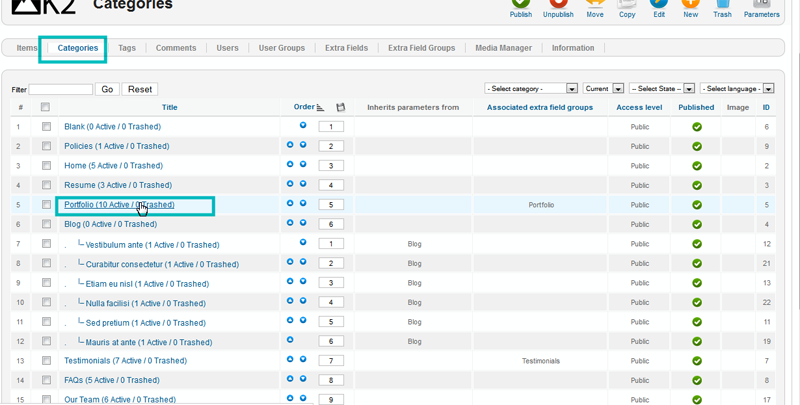
5. You can select image size in layout grid section.

6. In item image options you can specify width of images specifically for category. Those settings override default settings that were set in K2 parameters.
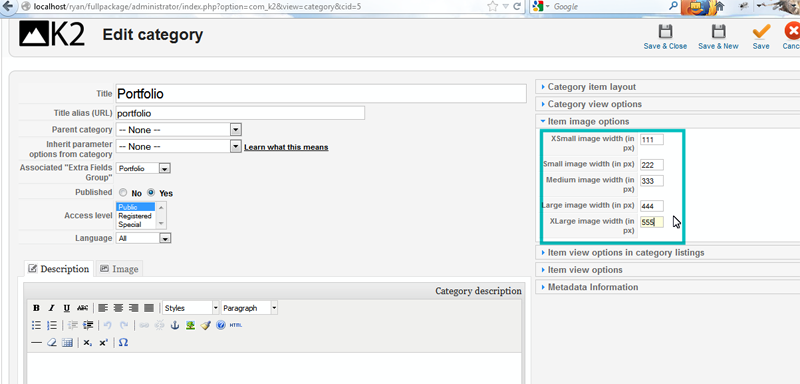
7. You should re-upload images in order to get images in modified size. Below is the screenshot of image with the dimensions we have set for Portfolio category.

Feel free to check the detailed video tutorial below:
Joomla 2.5.x. How to manage images dimensions and types in K2
.jpg)
